
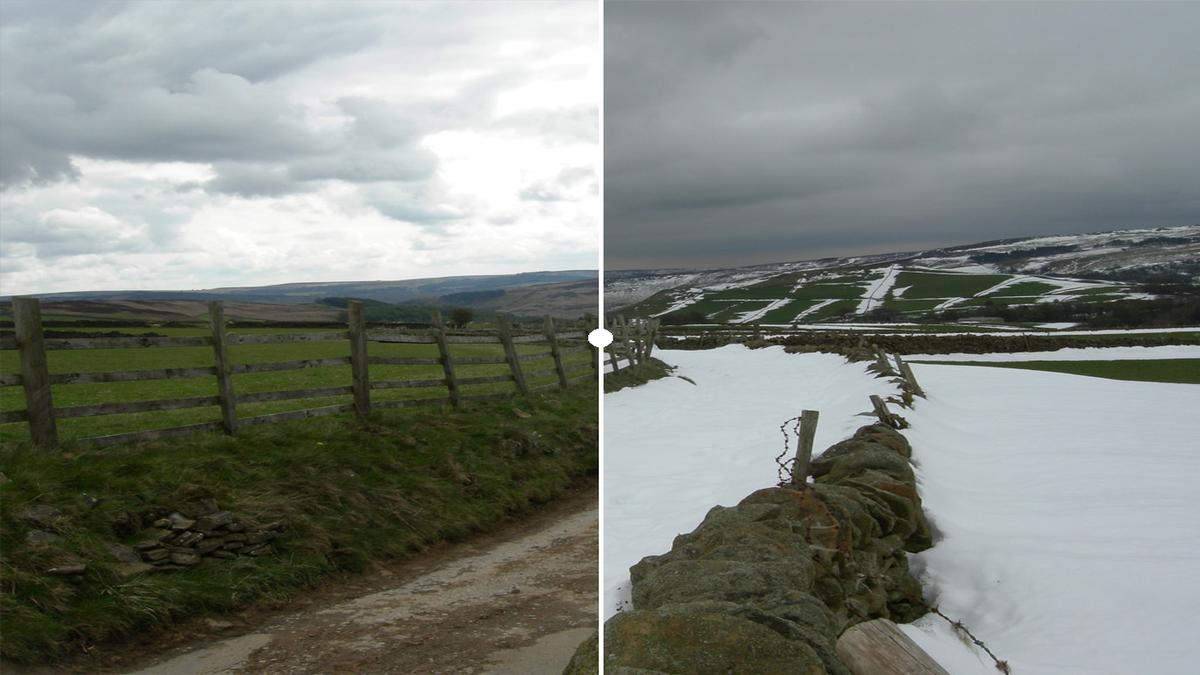
What if you could visually compare two images, whether taken years apart, captured from different angles, or reflecting different stages of a process and instantly reveal their differences? That’s exactly what we set out to enable in collaboration with the Oxford Visual Geometry Group (VGG).
This tool will shortly be open-sourced. This post reflects the current state of the project, and certain technical details may change before public release.
By building on their powerful AI-based image alignment tool, we’ve created a lightweight, embeddable web component that supports a variety of use cases, from conservation documentation and scholarly transcription updates to public exhibitions and historical reconstructions. This component is designed to integrate seamlessly into platforms like Manchester Digital Collections (MDC) and the Manchester Digital Exhibitions (MDE), helping users tell rich visual stories with clarity and precision.

What It Does
Our component takes two images:
- A fixed (reference) image
- A moving image (e.g., a newer photo, taken at a different angle or time)
It overlays the second image on top of the first with pixel-perfect accuracy, even when the images are rotated or cropped.
This is made possible by a preprocessing step using an alignment tool built by Oxford VGG. The tool outputs a JSON configuration file like this:
{
    "version": "1.0.0",
    "images": {
        "001": "http://localhost:5173/fixed.png",
        "002": "http://localhost:5173/moving.png"
    },
    "registration": [
        {
            "fixed": "001",
            "moving": "002",
            "fixed_crop": [0.0, 0.0, 1.0, 1.0],
            "moving_crop": [0.0, 0.0, 1.0, 1.0],
            "transform": "base64-encoded transform",
            "type": "affine"
        }
    ]
}
The JSON contains cropping coordinates and a transformation matrix, essentially a recipe for how to rotate, scale, and shift the moving image to match the fixed one.
Why Preprocessing Makes Sense
Originally, our component was going to do everything in-browser, from image alignment to presentation. But we changed course, and here’s why:
- Library size: The alignment logic alone was over 3MB.
- Performance: On-page alignment would be processor-intensive, especially with multiple comparisons on a single page.
- Editorial control: Preprocessing lets authors verify alignment before publishing.
- Maintainability: By offloading alignment, we kept the component fast, light, and modular.
Now, the component simply loads the processed images and focuses on the reveal experience.
Reveal Modes
Our web component supports a wide range of modes to reveal the aligned image. Each serves a different storytelling purpose:
- Slide: Drag left-to-right or top-to-bottom to reveal the moving image.
- Hover: Move the mouse to change the overlay.
- Overlay: Blend the two images with transparency.
- Toggle: Alternate between images automatically.
- Mousefade: Smooth transition based on cursor position.
- Difference: Highlights the exact pixels that changed.
- Reveal: Circular spotlight that follows the mouse.
- Paint: Click and drag to paint in the new image.
Different scenarios benefit from different types of reveals, for instance, “difference” mode highlights pixel-level changes, while “slide” mode is more intuitive for general audiences.
To make it easier for users to experiment with these modes, we created a second web component, <vgg-image-compare-ui>, which acts as a wrapper around the main comparison component. It adds a simple <select> dropdown for interactively switching between reveal modes:
<vgg-image-compare-ui
    config-url="/examples/restoration.json"
></vgg-image-compare-ui>
This UI-enhanced version is ideal for demos, exhibits, and education scenarios where mode selection needs to be exposed to the user. For developers who want full control, the underlying component <vgg-image-compare> can still be used directly with a specified mode:
<vgg-image-compare
    config-url="/examples/restoration.json"
    mode="slide"
></vgg-image-compare>
Both components are fully embeddable and require no external dependencies, making integration flexible, fast, and frictionless.
A Peek Under the Hood
For those interested in the technology:
- Frontend: Built with Svelte 5, the component will soon be open-sourced and is compiled to native Web Components.
- No Shadow DOM: We avoid Shadow DOM to improve integration with external stylesheets and simplify customization.
- Rendering: WebGL shaders for efficient canvas rendering.
- Image alignment: Affine transformation, precomputed and encoded in a lightweight JSON file.
- Component: <vgg-image-compare> can be embedded on any HTML page with no dependencies.
Where Can This Be Used?
Because it’s packaged as a web component, this comparison tool can be embedded easily in a wide variety of platforms:
- MDC for showing conservation and digitisation processes
- MDE for scholars comparing updated transcriptions
- Public exhibits highlighting urban transformation
- Research portals showcasing before/after scans
- Museum education to illustrate archaeological reconstructions
A development version of the component can be seen in action here
Making It Work Anywhere
We’ve built this component to be flexible and future-proof:
- It’s a Web Component, so it plays well with any frontend, no framework required
- It dynamically fetches transformation data from a simple JSON file
- It uses WebGL to render images efficiently in-browser, including on mobile
- No external services are needed. All processing happens client-side
This design means minimal setup, maximum compatibility, and a clean separation between content and functionality.
Where Could We Go Next?
These ideas aren’t on the immediate roadmap but reflect potential directions based on early feedback:
- Improving accessibility, so comparisons are navigable by keyboard and screen reader users
- Supporting multiple images, allowing more than two images to be compared within a single component
- Investigating image sequences, to show how a subject changes over time in a step-by-step visual narrative
We’re keen to hear what would be most valuable to the communities using this tool.
Try It Out
Embedding the component is as simple as:
<vgg-image-compare config-url="/path/to/alignment.json" mode="slide">
</vgg-image-compare>
This flexibility makes it ideal for digital humanities platforms, research portals, and educational tools alike.

Summary
By building on the alignment technology developed by the Oxford Visual Geometry Group (VGG), and separating that preprocessing from the visual reveal experience, we’ve created a practical, easy-to-integrate image comparison tool. This collaboration has resulted in a component that combines robust academic research with lightweight, embeddable web design, enabling libraries, archives, and researchers to present visual transformations more effectively across platforms.
> The component will soon be available on GitHub. Details will be added to this article once the repository is live.